
Web Scraping Without Getting Blocked: A Practitioner’s Guide to Staying Unblocked
Your scraper pulls a page fine in the browser. Run the identical request in code and it returns a 403. Nothing changed except the client, and that is the whole tell.
Web scraping without getting blocked is not one trick that holds forever. It is a handful of detection layers, each scoring your request, and a cheapest-fix-first order for clearing whichever one is catching you. Most teams reach for the heaviest tool first, spin up a stealth browser to beat a block a header fix would have cleared, and pay for it in infrastructure they did not need.
The web your scraper is entering is already majority-automated. Automated traffic passed human activity for the first time in a decade, hitting 51% of all web traffic (Imperva, 2025), so the defenses on the other side are aggressive.
This guide answers the question underneath “how to scrape a website without getting blocked”: which layer is stopping you, its cheapest fix, and where the honest line sits when a block stops being an engineering puzzle. By the end you can name the layer catching you, apply the fix that clears it without over-building, and recognize the point where staying in-house costs more than it should.
Quick Digest
- Why you get blocked: Detection is a layered probabilistic trust score across network, browser, and behavioral signals; “blocked” means that score failed a threshold, not that one rule tripped.
- The 2026 Cloudflare shift: From September 15, 2026, Cloudflare blocks Training and Agent AI crawlers by default on ad-displaying pages for new sites, and refusal can arrive as an HTTP 402 price, not only a 403 or CAPTCHA.
- Diagnose before you fix: The status code tells you which layer flagged you; a 403 that only appears in code usually means the network layer caught you before your headers were read.
- The escalation ladder: Browser-like headers and a matching TLS fingerprint, then the hidden JSON API, then a stealth browser, then residential proxies. Stop at the cheapest rung, and know a User-Agent swap alone fixes nothing against JA3/JA4-aware detection.
- When a block means stop: A login wall, an explicit ToS prohibition, PII, or a persistent refusal is the site saying no; getting past a control does not grant a right to the data.
Why Does Your Scraper Keep Getting Blocked?
Because a site does not decide you are a bot with one check. It scores every request across a stack of signals and blocks you when the combined score fails a threshold. “Blocked” is a trust score coming up short, not a single rule firing.
That is why a single technique never holds. Detection has moved from static signature-matching to per-site machine-learning models that weigh signals probabilistically, so fixing one layer while another leaks leaves you flagged. If your TLS fingerprint says Python, your flawless header set is already suspect. This is the detection stack, roughly in the order a site evaluates it.
- Layer 1, IP reputation and rate. Checked first. Datacenter ranges carry low trust; residential and mobile carry more. ASN reputation, volume, and concurrency feed it. A scraper that runs clean locally and dies on AWS is failing here.
- Layer 2, TLS and HTTP/2 fingerprint. The one most teams miss. Before headers are parsed, the server reads your TLS ClientHello (captured as JA3 or JA4) and HTTP/2 frame and pseudo-header order. A bare
requestsorhttpxclient presents a non-browser handshake, which is why “same headers, same cookies, still 403” is the most common confusion in practitioner communities: the handshake is read first, and it already gave you away. - Layer 3, HTTP header integrity and order. Browsers send a specific header set in a specific sequence, with consistent
sec-ch-ua,Accept, andAccept-Languagevalues. A short or misordered set flags you even when each value looks plausible. - Layer 4, browser and JS fingerprint. For JavaScript-rendered pages, the site probes for automation leaks:
navigator.webdriver, Chrome DevTools Protocol (CDP) artifacts, and canvas, WebGL, and font fingerprints. - Layer 5, behavioral signals. Mouse movement, scroll cadence, click timing, session flow. The only layer that reliably catches stealth tooling with, as one analyst puts it, forged everything.
- Layer 6, active challenges and honeypots. CAPTCHAs, JavaScript challenges, waiting rooms, and trap links hidden with
display:noneorvisibility:hidden.
Most sites you hit sit behind Cloudflare, Akamai, DataDome, PerimeterX (now HUMAN Security), Kasada, AWS WAF, or Imperva. That concentration is why the same fingerprinting logic recurs across unrelated sites: you are fighting one of a few detection engines, not a bespoke one.
TLS fingerprinting alone catches only 40 to 70% of unsophisticated bots (cside, 2026). The cheap network layer filters the naive majority; the browser and behavioral layers exist because no single signal is enough. Bad bots accounted for 37% of all internet traffic in 2024, per Imperva’s 2025 Bad Bot Report, the sixth straight year that share rose.
Expert Insights
Mike Kutlu, a client-side security consultant at cside, frames modern detection as a layered stack in which the network layer cheaply catches the naive-bot majority, then browser fingerprinting, then behavior catches the rest: “If your stack ends at TLS fingerprinting, you have a partial defense. If your stack starts at TLS fingerprinting, you have an efficient one.” (Kutlu, cside, July 19, 2026)
Note: Copying your browser’s headers and cookies exactly is not the same as looking human. Headers sit above the TLS handshake, and the handshake is inspected first. A perfect header set with a Python TLS fingerprint is still caught.
What Changed in 2026: Cloudflare’s Default AI-Crawler Block and Refusal-as-Price
A new layer now sits on top of “are you a bot?”: “are you allowed, and are you willing to pay?” This is licensing, not detection, and conflating the two leads to the wrong fix. On Content Independence Day, July 1, 2025, Cloudflare, which manages traffic for about 20% of the web, became the first major provider to block AI crawlers by default for new domains and launched Pay Per Crawl. As of June 2026, more than 50% of internet traffic is non-human, and the AI-training share of crawler requests climbed from 22% in spring 2025 to 52% (Cloudflare, 2026).
A year on, the model sharpened into a Search / Agent / Training taxonomy. From September 15, 2026, for new domains onboarding to Cloudflare (plus new sites from existing customers and existing free-tier customers), Training and Agent are blocked by default on ad-displaying pages, while Search stays allowed. The gotcha: multi-purpose crawlers like Googlebot, Applebot, and Bing are judged by all their behaviors, so blocking Training can knock out those search bots unless the owner opts out.
Pay Per Crawl is also evolving into Pay Per Use on the x402 protocol. A crawler requests a page, can get an HTTP 402 Payment Required response carrying a price, retries agreeing to the charge, and gets a 200 back with a receipt. Sometimes a block is a price, not a puzzle.
GET /article HTTP/1.1
Host: example.com

HTTP/1.1 402 Payment Required
crawler-price: USD 0.005
# Crawler retries, agreeing to the charge:
GET /article HTTP/1.1
Host: example.com
crawler-max-price: USD 0.01

HTTP/1.1 200 OK
crawler-charged: USD 0.005
Illustrative HTTP 402 handshake.
Cloudflare CEO Matthew Prince put the shift plainly: “Now that the majority of traffic on the Internet is non-human, we must go further and act faster so that a sustainable ecosystem can emerge.” (Prince, via TechCrunch, July 2026) The distinction to hold onto: a 403 is a challenge, a 402 is a price. Treating a payment gate as a detection problem wastes effort on the wrong fix.
Quick Summary
Q: Why does a scraper get blocked when the same page loads fine in a browser?
A: Because the site is not making a single yes or no decision. It scores each request across layers, IP reputation and rate first, then the TLS and HTTP/2 fingerprint, then browser and behavioral signals, and it refuses when the combined score falls below a threshold. A request that works in a browser and fails in code is usually failing at one of the first two layers, before any header is read, which is why a matching header set on its own does not change the outcome. Since 2026 a second question sits on top of the first, whether the crawler is allowed and whether it is willing to pay, so an HTTP 402 response is a price rather than a detection result.
Which Block Are You Hitting? Map the Symptom to the Detection Layer
The stack tells you what can flag you; the status code tells you which layer just fired. Read the block, do not guess at it. The status code tells you which layer flagged you, and diagnosing first keeps you from spinning up a headless browser when a TLS or header fix would have cleared it for a fraction of the cost. Each symptom points to the first thing to try, not the whole toolbox.
| Symptom | Layer flagging you | First (cheapest) fix |
|---|---|---|
| 403 Forbidden, loads in browser | TLS/HTTP-2 or header or IP | Browser-like TLS plus complete, ordered headers |
| 429 Too Many Requests | Rate and volume | Throttle, lower concurrency, honor Retry-After |
| 418 or bespoke codes | Anti-bot challenge | The WAF is telling you it knows; reassess before escalating |
| CAPTCHA or JS challenge wall | Active challenge | Often the site saying prove it or stop |
| Empty 200 or partial DOM | JS-rendering or behavioral | Content is client-rendered, or you are being fed a decoy |
| Works locally, blocked on AWS | Datacenter-IP reputation plus TLS | Residential or mobile IP plus TLS impersonation |
| Worked a few minutes, then 403 | Rate or behavioral | Slow down, vary timing, persist a session |
The single most useful tell: “same headers, same cookies, still 403” almost always means TLS is your failing layer. The handshake is caught before the headers are read, which is why bare requests draw the first 403.
Stat: TLS fingerprinting catches only 40 to 70% of unsophisticated bots (cside, 2026), so a bare client draws a 403 at the network layer long before any browser or behavioral check runs. Fix the handshake first.
Techniques to Scrape Without Getting Blocked (Cheapest Fix First)
Once the symptom points you at the failing layer, the fix is a sequence, not a scramble. Treat the techniques below as an escalation ladder, not a checklist. Fix the cheapest failing layer first, and escalate only when the current layer is genuinely the one catching you. The order the practitioner community converges on runs from plain requests, to browser-like TLS, to the hidden API, to a stealth browser, to residential proxies, to a managed unblocker.
One guardrail: this names the mechanisms and the tooling landscape, not a step-by-step recipe for defeating any specific vendor’s protection.
Rotate IPs and use the right proxies
Proxies fix the IP-reputation and rate layer, and nothing else. Rotate a pool sized to your volume, retire burned addresses, and geo-match the site’s audience.
| Proxy type | Cost band | Reputation | When to use |
|---|---|---|---|
| Datacenter | Cheapest | Low trust, flagged fast | Low-defense targets, high volume, cost-sensitive |
| Residential | ~$2–8.50/GB (10–50x datacenter) | High trust | IP-reputation is your failing layer (403 on AWS) |
| Mobile / ISP | Highest | Highest trust | Aggressive targets where residential still burns |
Escalate to residential only if IP reputation is your failing layer, the classic “403 on AWS, fine locally” signature. Do not pay 50x to fix a problem you do not have. Our guide to the top proxies for AI data extraction breaks down the tiers. And proxies do not fix a bad TLS or header fingerprint: a residential IP with a Python handshake still gets caught.
Send real, complete, correctly-ordered browser headers
Completeness and order both matter. Copy a real browser’s full header set, in its actual order (Accept, Accept-Language, Accept-Encoding, sec-ch-ua, and the rest), and keep every value consistent with the User-Agent you declare. This is a cheap, high-yield fix, and it belongs before proxies or browsers. The catch stays the same: headers sit above the TLS handshake, so a perfect header set will not save a Python TLS fingerprint.
Rotate user agents, and keep them internally consistent
Rotate from a current, real-browser User-Agent pool, and make the UA match the rest of your fingerprint, headers and JS navigator included.
Note: Rotating the User-Agent alone is now close to useless against JA3/JA4-aware detection. A raw fake-useragent swap with no matching TLS fingerprint fixes nothing, because the handshake gives you away regardless of what the UA string claims.
Match your TLS/HTTP-2 fingerprint to a real browser
JA3/JA4 and HTTP/2 frame and pseudo-header order are inspected first, and a bare requests or httpx client presents a Python fingerprint that fails immediately. Browser-impersonating clients (curl_cffi, rnet, tls-client, Got-Scraping) replay a real browser’s ClientHello, and they are the landscape here rather than any single bypass. This is why “works in Node, fails in Python” happens: different runtimes ship different default TLS stacks. For the browser-loads-but-code-403 symptom, this is often the single highest-yield fix. The caveat is the arms-race one: these tools are commodity and actively fingerprinted back, so no static impersonation is permanent.
Expert Insights
The ladder never ends at a fixed rung, and the reason is structural. As Kutlu puts it, “fingerprint spoofing tools are commodity, the tooling is public, actively maintained, and used at scale.” (Kutlu, cside, July 19, 2026) Every static evasion becomes a commodity the detection vendors then fingerprint, and with a bot-management field led by a handful of vendors holding roughly 58% of revenue in 2025 (a market near $2.5B that year, per Verified Market Reports), that counter-detection is centralized and well-funded.
Use a stealth or headless browser only when the page truly needs JS
Headless browsers (Playwright, Puppeteer, Selenium) render JavaScript but are heavy, slow, and leak automation signals like navigator.webdriver and CDP artifacts. Reach for stealth tooling (undetected-chromedriver, playwright-stealth, nodriver, zendriver, Camoufox, SeleniumBase-CDP, patchright) only when content is genuinely client-rendered, and only after TLS, headers, and the hidden-API check have failed. A browser is the expensive rung, not the default, and where AI-based extraction sits on top of this fetch layer is covered in our practitioner’s guide to AI for web scraping. A headless browser on a datacenter IP with a default fingerprint is more detectable than a well-formed HTTP client, not less.
Throttle: randomize rate, add human-like delays, back off
Randomize delays, cap concurrency, and apply exponential backoff on 429s while honoring Retry-After. This fixes the rate and volume layer plus some behavioral signals, and it is the direct fix for “worked a few minutes, then 403.”
Manage sessions and cookies
Persist cookies and session state across requests from the same identity, and keep that identity coherent: same IP, same fingerprint, same cookies. Rotating your IP mid-session while holding the same session cookie is itself a bot tell.
Find and hit the hidden backend API instead of the HTML
This is the highest-leverage move on the ladder. Many sites load their data from a JSON or XHR endpoint the page itself calls; finding that endpoint by inspecting network traffic is legitimate observation of the site’s own public calls. Hitting it directly is lighter and more stable than rendering HTML, removes the need for a browser, and shrinks your fingerprint surface. Try it before escalating to stealth browsers or residential proxies. One line stays firm: a private or authenticated API behind a login is not fair game, which the next section covers.
Handle CAPTCHAs, and know when a CAPTCHA means stop
reCAPTCHA v2/v3, hCaptcha, and Cloudflare Turnstile all have solver services (2Captcha, anti-captcha) at roughly $1 per thousand solves. But a persistent CAPTCHA is often the site explicitly saying no, so weigh the cost and the signal before automating around it.
Avoid honeypot traps
Skip links hidden with display:none, visibility:hidden, zero size, or off-screen positioning. Follow only visible, human-reachable links.
Monitor, detect blocks early, and adapt
Track block rates, status-code distribution, and empty-response rates per source, and alert on drift. The target re-fingerprints continuously, so this is a standing loop, not a one-time setup. Retire stale workarounds here too: scraping Google Cache (deprecated) and routing through Tor (widely blocklisted and slow) no longer hold. Monitoring is the quiet admission that no fix is permanent, which is the thread the economics section picks up.
Quick Summary
Q: What is the best way to avoid getting blocked when scraping?
A: Fix the cheapest failing layer first, then escalate only if needed: complete browser-like headers and a matching TLS fingerprint, then the site’s hidden JSON API, then a stealth browser, then residential proxies. Most blocks clear well before the expensive rungs, and reaching for a headless browser first wastes money and adds fingerprint surface.
When Does a Block Mean Stop?
Some blocks are a technical puzzle. Some are the site saying no, and the professional move is to stop. That line is the compliance floor beneath every technique above: getting past a control does not grant a legal right to the data.
The stop-signals are concrete: data behind a login wall, an explicit Terms of Service prohibition, personal or PII data, a persistent CAPTCHA that clearly encodes a refusal, or a robots.txt disallow on the path you want. When a block encodes a “no,” continuing is a legal, ethical, and brand risk, not an engineering challenge. Our treatment of the legal and ethical issues in web scraping walks through where these lines fall.
One widely misread case is worth precision. In July 2026, a U.S. District Court dismissed a DMCA anti-circumvention claim brought by a major search company against a firm that scrapes and resells search results. The viral “nobody owns the internet” framing overstates it: the court did not rule that public results lack copyright or that scraping past a block is legal. It dismissed on a narrow pleading deficiency around authorization, and a parallel case let similar claims proceed. Read it as context, not a green light.
Note: “If I can get past the block, it’s fair game” is false. Bypassing a technical control is not authorization, and ToS, login walls, and PII change the calculus regardless of whether you can get through.
This section is informational and not legal advice; consult qualified counsel for your situation.
The Economics of the Anti-Bot Arms Race: When to Stop Building In-House
Compliance draws one stopping line; cost draws the other. Every rung of the ladder has a price, and the biggest one is the cost no vendor blog counts: maintenance. Detection re-fingerprints continuously, every static evasion eventually becomes a commodity the vendors detect, and the arms race resets each time the target changes. A “solved” scraper is a maintained scraper.
Per-request costs are easy to tally: proxy spend (residential runs about $2 to $8.50 per GB), CAPTCHA solving at roughly $1 per thousand, and stealth-browser infrastructure. The cost that actually decides build-versus-buy is engineer-hours. Practitioner estimates run high: teams report spending 30 to 40% of their data-engineering hours keeping scrapers running rather than improving them (practitioner estimate, 2026, directional).
| Escalation tier | Approximate cost | What it fixes | Maintenance burden |
|---|---|---|---|
| Browser-like headers + TLS | Low (library only) | Network/TLS layer | Low, until the target re-fingerprints |
| Hidden API | Low (engineering time) | Removes render + fingerprint surface | Medium, breaks when the endpoint changes |
| Stealth headless browser | Medium (infra + upkeep) | JS-rendering + some browser leaks | High, leaks and patches churn constantly |
| Residential/mobile proxies | High ($2–8.50/GB) | IP-reputation layer | Medium, pool management and burn |
| Managed unblocker / service | Variable, TCO-based | The whole stack, ongoing | Absorbed by the provider |
Stat: As of June 2026, more than 50% of AI-crawler traffic is re-fetching unchanged pages (Cloudflare, 2026), a sign of how inefficient the treadmill is even for well-funded operators.
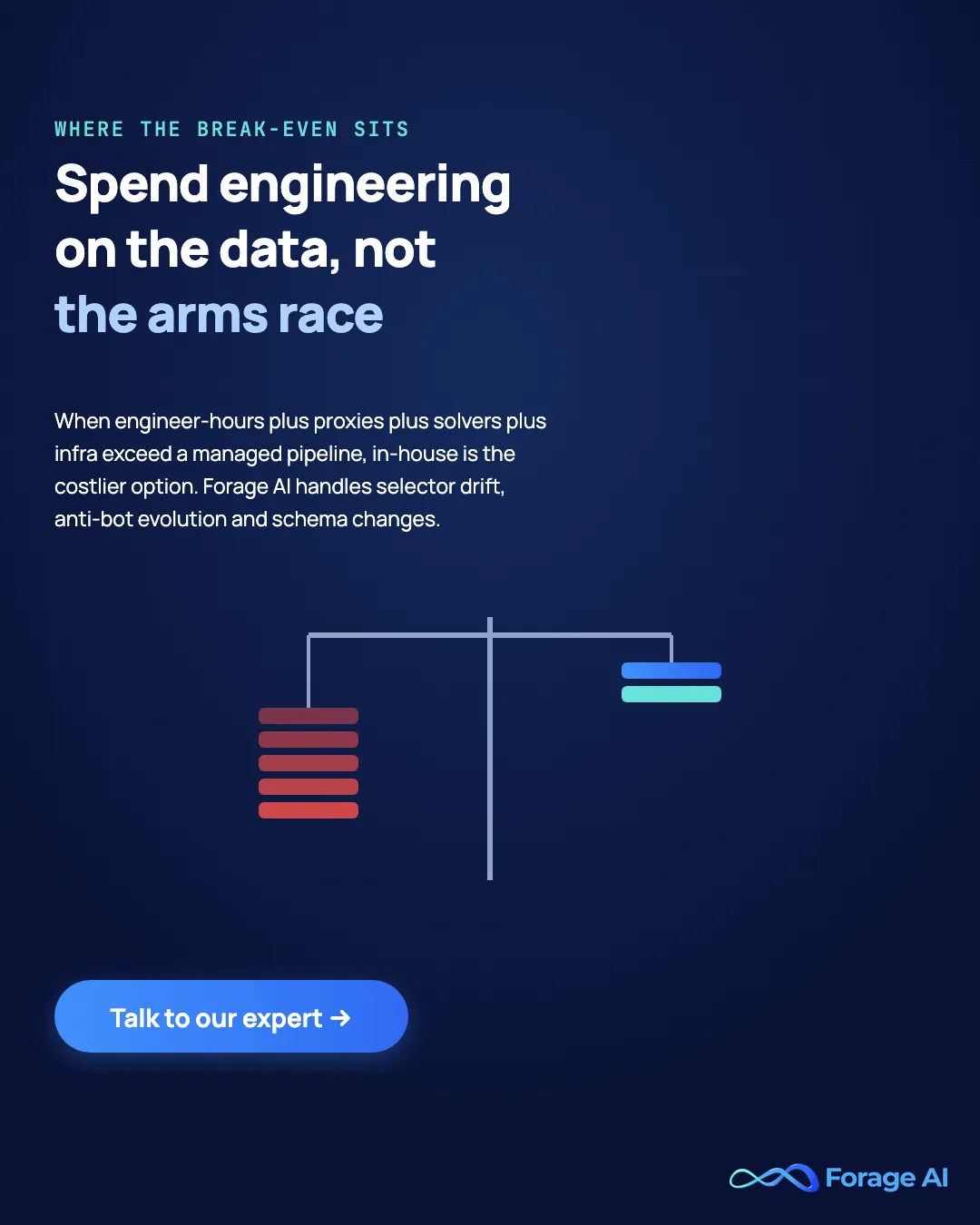
The break-even is the whole decision. When the fully loaded cost of staying unblocked, engineer-hours plus proxies plus solvers plus infrastructure plus the sources you are not building, exceeds what a managed pipeline costs, continuing in-house is the more expensive option. That is the turn our pieces on why product teams regret building scraping in-house and custom web scraping when off-the-shelf tools stop scaling both examine.
This is where a managed partner earns its place. Forage AI handles selector drift, anti-bot evolution, and schema changes as part of the service, the exact treadmill the in-house team is fighting, and takes a licensed-access posture rather than shipping bypass recipes. The decision is not surrender; it is spending engineering time on the data instead of the arms race.
Conclusion
Staying unblocked is not a game you win once. It is a diagnosis you repeat: read the block, name the layer catching you, apply the cheapest fix that clears it, and escalate only when the layer you are on is genuinely the one failing. Do that and you stop paying for stealth browsers to solve header problems.
The harder question is not technical. It is where the break-even sits. The arms race resets every time a target re-fingerprints, and past a certain point the fully loaded cost of running it in-house outruns the value of doing so yourself. Weigh that honestly. When most of your scraper time goes to breakage instead of new sources, the sustainable move is to hand the treadmill to a partner like Forage AI that takes licensed access seriously and absorbs the maintenance, and to spend your engineering where it compounds.
Frequently Asked Questions
Why does my scraper keep getting blocked?
Because detection is a layered trust score across network, browser, and behavioral signals, and your client leaks on at least one layer. A single fix rarely holds; patching one signal while another gives you away still leaves the combined score below the threshold, so diagnose the failing layer before you escalate.
Why do I get a 403 when scraping but the page loads in my browser?
A 403 that shows up only in code almost always means a datacenter IP or a non-browser TLS/HTTP-2 fingerprint flagged you before your headers were read. Matching a real browser’s TLS and sending complete, ordered headers clears this far more often than reaching for a headless browser.
Do proxies stop you from getting blocked?
Only if IP reputation is your failing layer. Proxies fix the network layer and nothing else, so a residential IP on a bad TLS or header fingerprint still gets caught. Escalate to residential when you see “fine locally, blocked on AWS,” not by default.
Does rotating user agents still work?
Not alone. Against JA3/JA4-aware detection the User-Agent is one of the weakest signals, and a raw swap with no matching TLS fingerprint changes nothing. Keep the UA consistent with your headers and TLS, and treat it as hygiene, not a fix.
How do I fix a 429 Too Many Requests error when scraping?
Throttle: lower concurrency, add randomized delays, apply exponential backoff, and honor Retry-After when the server sends it. A 429 is the rate layer, so the fix is pacing, not a heavier client or a new proxy tier.
Is it legal to scrape a site that blocks you?
Getting past a technical block does not grant a legal right to the data. Login walls, explicit ToS prohibitions, and PII change the calculus, and a block that clearly encodes a “no” is a stop signal regardless of whether you can get through. This is general information, not legal advice.
Related Articles
- Top Proxies for AI Data Extraction: How the residential, datacenter, and mobile proxy tiers compare and when each is worth the cost.
- AI for Web Scraping: A Practitioner’s Guide: Where AI-based extraction sits on top of the fetch and anti-bot layer.
- Custom Web Scraping: When Off-the-Shelf Tools Stop Scaling: The escalation point where standard tools stop keeping up.
- Web Scraping vs Web Crawling: The foundational distinction behind everything in this guide.
Sai is a data infrastructure enthusiast who has spent the past two to three years following the AI space closely, from the infrastructure layer to the fast-growing world of data for AI. He is genuinely curious about how modern data pipelines get built and where the data industry is heading, and he writes insightful pieces on the core topics that shape this niche.