
Best B2B Data Enrichment Tools: Coverage, Freshness & Match Rates Compared
You bought a b2b data enrichment tools subscription, ran your list through it, and half the records still came back empty. Six months later, a third of what did come back is stale. We have watched RevOps teams repeat this exact loop, and the lesson is always the same.
The tool was rarely the real issue. Nobody decided which enrichment category they needed, and nobody had a repeatable way to evaluate a vendor before signing. Apollo, Bombora, RB2B, and Insycle all get filed under “enrichment,” yet they solve four completely different jobs. Pick the wrong layer, and no amount of credits saves you.
Three things decide the buy. First, map the category to the job you need done. Second, understand the three architectures (waterfall, real-time, batch) so you know how the data reaches you. Third, judge every candidate on coverage, freshness, and match rate, tested against your own data rather than the vendor’s demo list. Get those right, and the tool almost picks itself. Bad data is not a rounding error: MIT Sloan researchers estimate it costs most companies 15 to 25 percent of revenue.
Quick Digest
- The three axes (coverage, freshness, match rate): judge every tool on breadth in your ICP, how recently records were verified, and the share of submitted records that come back usable, not on headline database size.
- The 50 to 100 contact test: run 50 to 100 known CRM contacts through any tool before buying; a match rate under 80 percent on data you already have exposes a coverage gap in your ICP.
- The 7 categories: prospecting/contact, firmographic, technographic, intent, identity resolution/visitor de-anonymization, CRM hygiene, and custom/managed. Categories 1 to 5 append data, 6 fixes it, 7 commissions it.
- Waterfall vs real-time vs batch: waterfall queries providers in sequence for the highest coverage, real-time fires at point-of-capture via API, batch enriches a whole list at once. Mature stacks run all three.
- Visitor ID reality: company-level identification resolves 30 to 65 percent of traffic realistically; person-level only 5 to 20 percent. A vendor’s “80 percent” almost always counts companies, not people.
How we judged these tools
Most enrichment lists rank tools by database size. That number is a vanity metric. A provider claiming 300 million contacts tells you nothing about whether it covers your ICP in your geography at the seniority you sell to. One boundary first: this article is about enrichment tools, software that appends and refreshes fields on records you already have, not data providers, the databases you buy access to. For that decision, how to choose the B2B data provider behind your enrichment stack covers it separately.
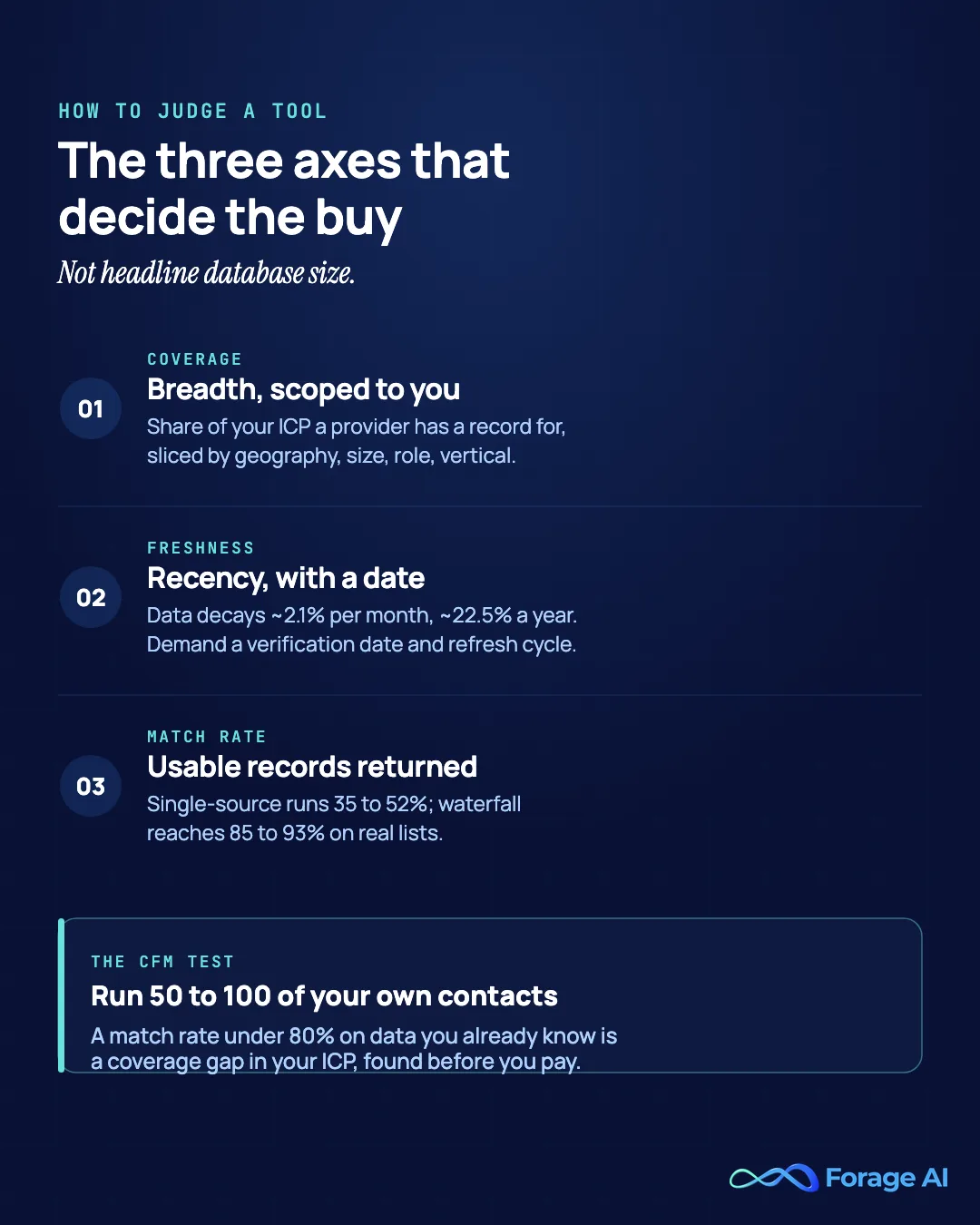
Three axes decide every buy, and each one has a concrete test you can run before you pay.
| Metric | What it means | How to test it |
|---|---|---|
| Coverage | The share of your universe a provider has a record for, sliced by geography, company size, role, and vertical. Breadth scoped to your ICP, not headline database size. | Check match density on the accounts you actually sell to, not the total record count. |
| Freshness | Recency with a date attached. B2B contact data decays roughly 2.1 percent per month and email up to 30 percent per year. | Ask for a verification date and a re-verification cadence; a vague “accuracy” claim with no last-verified date is marketing. |
| Match rate | Records returned with a usable field (email or phone) are divided by the number of records submitted. Single-source tools run 35 to 52 percent on real lists; waterfall reaches 85 to 93 percent. | Run 50 to 100 of your own known CRM contacts through the trial; above 80 percent is the bar. |
That last row is the whole method, the Coverage-Freshness-Match-rate (CFM) test: pull 50 to 100 records from your own CRM, contacts you know are real, and run them through the tool’s trial. A match rate under roughly 80 percent on contacts you can already verify is a coverage gap in your ICP, found before you pay for it. A vendor’s “we tested 1,000 leads and got 91 percent” was run on their list, not yours. For the record-linkage quality that drives match rate under the hood, what actually drives match rates covers it. For transparency: no vendor paid for placement. Ratings are point-in-time from public review sites as of June 2026 and are subject to drift.
What are the 7 categories of B2B data enrichment?
Most enrichment lists feel like noise because they pile tools that solve different jobs into a single ranking. Apollo finds people. Bombora detects buying signals. RB2B identifies website visitors. Insycle cleans your CRM. Ranking them against each other is like ranking a wrench against a paintbrush. They are different layers of a stack, not competitors.
There are seven categories. Five of them append data you do not have, one fixes data you already hold, and one lets you commission data nobody sells off the shelf.
| Category | Plain definition | The question it answers | Representative tools |
|---|---|---|---|
| 1. Prospecting / contact | Person-level data: verified email, direct dial, title, seniority, LinkedIn, appended to a lead. | Who is this person and how do I reach them? | Apollo, ZoomInfo, Cognism, Lusha, Seamless.ai, LeadIQ, Lead411 |
| 2. Firmographic | Company-level attributes: industry, employee count, revenue, location, parent-subsidiary hierarchy. | What kind of company is this account? | ZoomInfo, Clearbit/Breeze, People Data Labs, Coresignal, Crunchbase |
| 3. Technographic | The software and tech stack a company runs. | What does this account use, and what could I displace? | HG Insights, BuiltWith, Datanyze, Wappalyzer, ZoomInfo, Clearbit/Breeze |
| 4. Intent data | Behavioral signals that an account is researching your category now. | Which accounts are buying right now? | Bombora, 6sense, Demandbase |
| 5. Identity resolution / visitor de-anon | Connecting anonymous activity, especially website visits, to a known company or person. | Who are the strangers on my site? | RB2B, Vector, Warmly, Factors.ai, Leadfeeder |
| 6. CRM data hygiene | Not net-new data: fixing what you have through dedupe, normalization, validation. | How do I stop my CRM from rotting? | Insycle, Openprise, DemandTools |
| 7. Custom / managed | A partner that builds and runs pipelines for data off-the-shelf tools do not sell. | What about data no tool sells, at scale, that I cannot maintain in-house? | Forage AI (managed) |
The append-fix-commission model is the fastest way to orient. Categories 1 through 5 buy you fields you do not have. Category 6 repairs the fields you already collected before they rot. Category 7 is for records that do not exist as a product anywhere, so you commission them.
Pick the category by the job to be done, not the brand. Reaching a named buyer is prospecting; segmenting accounts by revenue band is firmographic; knowing who is in-market this week is intent. The categories also map to the funnel: intent and visitor ID at the top, prospecting/firmographic/technographic in the middle, hygiene always-on underneath. Some tools span categories: ZoomInfo carries contact, firmographic, technographic, and intent in one platform, and Clearbit/Breeze does firmographic, technographic, and visitor ID. We note those cross-listings as they come up. For the upstream primer, start here on what firmographic and B2B data even is.
Waterfall, real-time or batch enrichment: which fits?
The architecture you choose changes your cost, speed, and coverage, independent of which data category you bought, and a mature stack runs all three at once.
Waterfall queries providers one at a time and only pays a premium source when the cheaper one missed, pushing coverage from the 40 to 60 percent a single source delivers to 85 to 93 percent. Real-time fires the instant a record is created, hitting an API at point-of-capture so inbound leads land fresh and instantly. Batch uploads a whole list and enriches it at once, ideal for back-fills but a point-in-time snapshot that decays immediately. Care about this because the allocation rule (real-time for inbound capture, waterfall for the hard-to-find records, batch for periodic back-fill) decides your cost and speed before the data category does.
| Architecture | How it works | Pros | Cons | Tools that embody it |
|---|---|---|---|---|
| Waterfall | Providers chained in sequence; each fills the gaps the last missed; stop at the first usable value. | Highest coverage (85 to 93 percent); pay premium sources only on a miss; provider-agnostic. | Needs orchestration and RevOps engineering; credit consumption unpredictable; slower than a single call. | Clay (100+ providers), BetterContact, People Data Labs as a step |
| Real-time (API) | Enrichment triggered at point-of-capture via API; can hit several sources in parallel. | Instant; ideal for inbound routing and speed-to-lead; no stale-on-arrival data. | Loses the waterfall’s cost savings when querying in parallel; coverage capped by sources called; per-call cost. | Clearbit/HubSpot Breeze, People Data Labs API, Coresignal API |
| Batch (CSV / list) | Upload a list, enrich the whole file at once, sync back. | Best for bulk back-fills and one-off campaigns; no engineering needed. | Point-in-time snapshot that decays immediately; not event-triggered; manual cadence. | ZoomInfo, Apollo, Lusha bulk, Cognism, nearly every tool |
Prospecting and contact enrichment tools
With the architecture settled, start with the most crowded category, the person-level layer where the claimed-versus-tested accuracy gap bites hardest. This is where you find the human and how to reach them, and where the CFM test earns its keep before you sign anything. A few adjacent names round out the field: Seamless.ai is best for high-volume, real-time SDR prospecting; LeadIQ for outbound teams capturing straight into CRM; and Lead411 for mid-market teams wanting contacts plus bundled intent.
| Tool | Best for | Pricing model | Rating | Coverage / freshness / match rate | Watch-out |
|---|---|---|---|---|---|
| Apollo | SMB and startup SDR teams on a budget | Freemium; ~$49 to $119/user/mo | 4.7 on G2 (~9,600) | Broad coverage at low cost; freshness and match rate the weak axes; ~20 to 30% bounce reported | Accuracy on real lists |
| ZoomInfo | Enterprise GTM wanting one broad source plus intent | Custom; ~$15K+/yr floor | 4.5 on G2 (~9,000) | Deepest single-database coverage; ~85% email ceiling in tests | Cost and contract lock-in |
| Cognism | EU outbound and compliance-sensitive teams | Custom; ~$15K+/yr | 4.5 on G2 (~1,300) | Best EU phone match and coverage; NA depth thinner | Vendor-sourced 98% claim |
| Lusha | Small teams wanting fast LinkedIn lookups | Credits; free tier to premium | 4.3 on G2 (~1,600) | Decent contact match for quick pulls; lower overall coverage | Shallow coverage, credit burn |
| Seamless.ai | High-volume real-time SDR prospecting | ~$79 to $150/user/mo | 4.4 on G2 (~5,300) | Real-time generation; inconsistent match | Billing/renewal friction |
| LeadIQ | Outbound teams capturing straight to CRM | Tiered, sales-led | 4.2 on G2 (~1,150) | Capture-to-CRM; DB depth below incumbents | Coverage vs incumbents |
| Lead411 | Mid-market teams wanting contacts plus bundled intent | ~$75/user/mo; Ignite ~$3K/yr | 4.5 on G2 (~477) | Solid coverage, daily refresh, bundled intent | Niche-market freshness gaps |
Apollo
| Field | Detail |
|---|---|
| Best for | SMB and startup SDR teams on a budget |
| Category / model | Prospecting / contact, all-in-one self-serve platform |
| Pricing model | Freemium; roughly $49 to $119 per user per month |
| Rating | 4.7 on G2 (~9,600 reviews), as of June 2026 |
| Coverage / freshness / match rate | Broad coverage at low cost; freshness and match rate the weak axes |
| Standout strength | A large contact database plus sequencing in one cheap tool |
| Watch-out | Accuracy on real lists runs well below the headline claim |
Apollo is the volume-and-budget pick: a large contact database, enrichment, and sequencing at a startup-friendly price, with a free tier that skips procurement, which reviewers like for reach without committing budget upfront, though they also report 20 to 30 percent bounce and 1,000-lead tests put real email accuracy nearer 80 percent than the headline.
Who it’s for: teams that need reach and sequencing cheaply and will verify before they send.
Watch-out: data quality on real lists, so treat it as a volume layer and run a bounce check first.
ZoomInfo
| Field | Detail |
|---|---|
| Best for | Enterprise GTM wanting one broad source plus intent |
| Category / model | Prospecting + firmographic + intent, enterprise platform |
| Pricing model | Custom; effectively a $15K+ per year floor |
| Rating | 4.5 on G2 (~9,000 reviews), as of June 2026 |
| Coverage / freshness / match rate | Deepest single-database coverage; ~85% email ceiling in tests |
| Standout strength | Broadest single-source coverage with native intent and org charts |
| Watch-out | Price and annual contract lock-in |
ZoomInfo is the enterprise incumbent: the broadest single-source coverage, strongest firmographics, native Bombora-powered intent, and org charts, with 35,000+ customers by mid-2025, which enterprise RevOps teams value for consolidating one broad incumbent plus its intent layer, though reviewers cite renewal pressure and ~85 percent email accuracy in real-list tests, the two complaints that most often send teams shopping for ZoomInfo alternatives.
Who it’s for: enterprise RevOps with the budget for one broad incumbent plus its intent layer.
Watch-out: cost and the single-source ceiling, a $15,000+ floor that climbs with seats, so don’t lock into a long contract before testing coverage on your ICP.
Cognism
| Field | Detail |
|---|---|
| Best for | EU outbound and compliance-sensitive teams |
| Category / model | Prospecting / contact, EU-strong compliant platform |
| Pricing model | Custom; enterprise (~$15K+ per year) |
| Rating | 4.5 on G2 (~1,300 reviews), as of June 2026 |
| Coverage / freshness / match rate | Best EU phone match and coverage; NA depth thinner |
| Standout strength | Phone-verified mobiles (“Diamond Data”) and GDPR-compliant EU data |
| Watch-out | North American coverage is thinner than ZoomInfo |
Cognism is the EU and phone pick: phone-verified mobile data and GDPR-compliant European coverage are the strongest in this group, the natural choice for EMEA outbound or strict-consent teams, where reviewers favor it over US-first tools when phone-verified EU mobiles and compliance matter more than raw breadth.
Who it’s for: teams where phone-verified EU mobiles and compliance matter more than raw US breadth.
Watch-out: North American depth is thinner than ZoomInfo’s and the often-quoted 98 percent accuracy figure is vendor-sourced, so if your ICP is US-heavy, test NA coverage before committing.
Lusha
| Field | Detail |
|---|---|
| Best for | Small teams wanting fast LinkedIn lookups |
| Category / model | Prospecting / contact, lightweight self-serve |
| Pricing model | Credits; free tier to premium |
| Rating | 4.3 on G2 (~1,600 reviews), as of June 2026 |
| Coverage / freshness / match rate | Decent contact match for quick pulls; lower overall coverage |
| Standout strength | A fast, simple Chrome extension for one-off lookups |
| Watch-out | Shallow coverage and credit economics for bulk use |
Lusha is the quick-lookup tool: a Chrome extension that pulls a verified contact off a LinkedIn profile fast, which individual reps and small teams like for one-off prospecting, with credits that burn quickly once you scale up (phone reveals cost more per pull).
Who it’s for: small teams and individual reps doing quick, manual lookups.
Watch-out: coverage is shallower than database-scale tools, so it falls apart as a bulk or always-on engine.
A note on orchestration: Clay is the canonical waterfall builder from the architecture section. It sequences the prospecting sources above rather than competing with any one of them, so if you outgrow single-source tools, Clay is how you chain several together.

Firmographic and company-data tools
Move down a layer from the person to the company: what kind of account is this. This layer powers ICP definition and account segmentation, and includes the data-as-API sub-cluster developers build enrichment products on. Freshness, not coverage, is the axis that separates the options here. One adjacent name: Crunchbase is best for funding and leadership-change signals, though it is not a contact source.
| Tool | Best for | Pricing model | Rating | Coverage / freshness / match rate | Watch-out |
|---|---|---|---|---|---|
| Clearbit / HubSpot Breeze | HubSpot-native teams | HubSpot Credits (~$0.01/credit) | 4.4 on G2 (~630, as Breeze) | Strong firmographic freshness inside HubSpot; ~85% email in tests | Lock-in outside HubSpot |
| People Data Labs | Developers building enrichment into a product | Volume/API, sales-led | 4.3 on G2 | Broad coverage; monthly-only refresh is the freshness weak point | Staleness; no CRM connectors |
| Coresignal | Data teams needing fresh raw firmographic at scale | Tiered credits | Listed on G2/Capterra; rating not independently verified | Fresher than PDL (daily on some datasets); raw data | DIY integration burden |
| Crunchbase | Funding and leadership-change signals | Self-serve + API | 4.5 on G2 (~400) | Funding/leadership-change signals; not contacts | Not a contact source |
Clearbit / HubSpot Breeze
| Field | Detail |
|---|---|
| Best for | HubSpot-native teams |
| Category / model | Firmographic + technographic + visitor ID, real-time API |
| Pricing model | HubSpot Credits (~$0.01/credit); standard enrichment free on Core Seats |
| Rating | 4.4 on G2 (~630 reviews, as Breeze Intelligence), as of June 2026 |
| Coverage / freshness / match rate | Strong firmographic freshness inside HubSpot; ~85% email in tests |
| Standout strength | Native real-time HubSpot enrichment plus Reveal visitor ID |
| Watch-out | No longer a standalone buy; locked to HubSpot |
Clearbit is now HubSpot Breeze Intelligence, and that changes the buy: fully absorbed into HubSpot with the legacy free tools sunset and pricing on HubSpot Credits, it is genuinely strong inside HubSpot with real-time firmographic and technographic enrichment plus Reveal visitor ID and standard enrichment free on Core Seats, which HubSpot-committed teams like for native enrichment without a separate vendor.
Who it’s for: teams committed to HubSpot who want native enrichment without a separate vendor.
Watch-out: outside HubSpot it is no longer a practical option, and the contact-level data is weaker than the firmographic.
People Data Labs
| Field | Detail |
|---|---|
| Best for | Developers and data teams building enrichment into a product |
| Category / model | Firmographic and person data-as-API |
| Pricing model | Volume/API, sales-led |
| Rating | 4.3 on G2, as of June 2026 |
| Coverage / freshness / match rate | Broad coverage; monthly-only refresh is the freshness weak point |
| Standout strength | A massive person and company API for building your own workflows |
| Watch-out | Monthly refresh and no CRM connectors |
People Data Labs is the developer’s raw API: billions of person records and tens of millions of company records through a clean API, built for teams constructing their own data product rather than sellers clicking in a UI, which developers value for building the workflow around a broad raw feed, though monthly refresh means records can run weeks stale.
Who it’s for: developers and data teams who will build the workflow around a broad raw API.
Watch-out: monthly refresh and no native CRM connectors, so you build the match logic yourself, which rules it out for teams wanting turnkey.
Coresignal
| Field | Detail |
|---|---|
| Best for | Data teams needing fresh raw firmographic at scale |
| Category / model | Firmographic and web data-as-API |
| Pricing model | Tiered with visible credit allocation |
| Rating | Listed on G2/Capterra; rating not independently verified |
| Coverage / freshness / match rate | Fresher than PDL (daily on some datasets); raw data |
| Standout strength | Frequent refresh and deep job-market and firmographic data |
| Watch-out | Raw data that needs engineering to put to work |
Coresignal is the freshness pick among the raw APIs: refresh cadences from daily to quarterly depending on the set make it fresher than PDL on the data that matters, with hundreds of data points per record and upfront pricing, which data teams choose when freshness on raw firmographic data matters more than a turnkey integration.
Who it’s for: data teams where freshness on raw firmographic data matters more than a turnkey integration.
Watch-out: this is raw data that needs engineering to operationalize, so the choice versus PDL comes down to whether daily refresh is worth it.
A cross-listing note: ZoomInfo carries the strongest firmographics among the multi-category suites; its full entry sits in the prospecting section above. For the underlying feeds these tools draw on, the firmographic data sources behind these tools compares the providers directly.
Best B2B technographic data providers
One narrow slice of company data deserves its own look: what an account runs and what you could displace. B2B technographic data providers answer a single question, which is what software, hardware and services a company already pays for, and they answer it in very different ways depending on how the signal is collected.
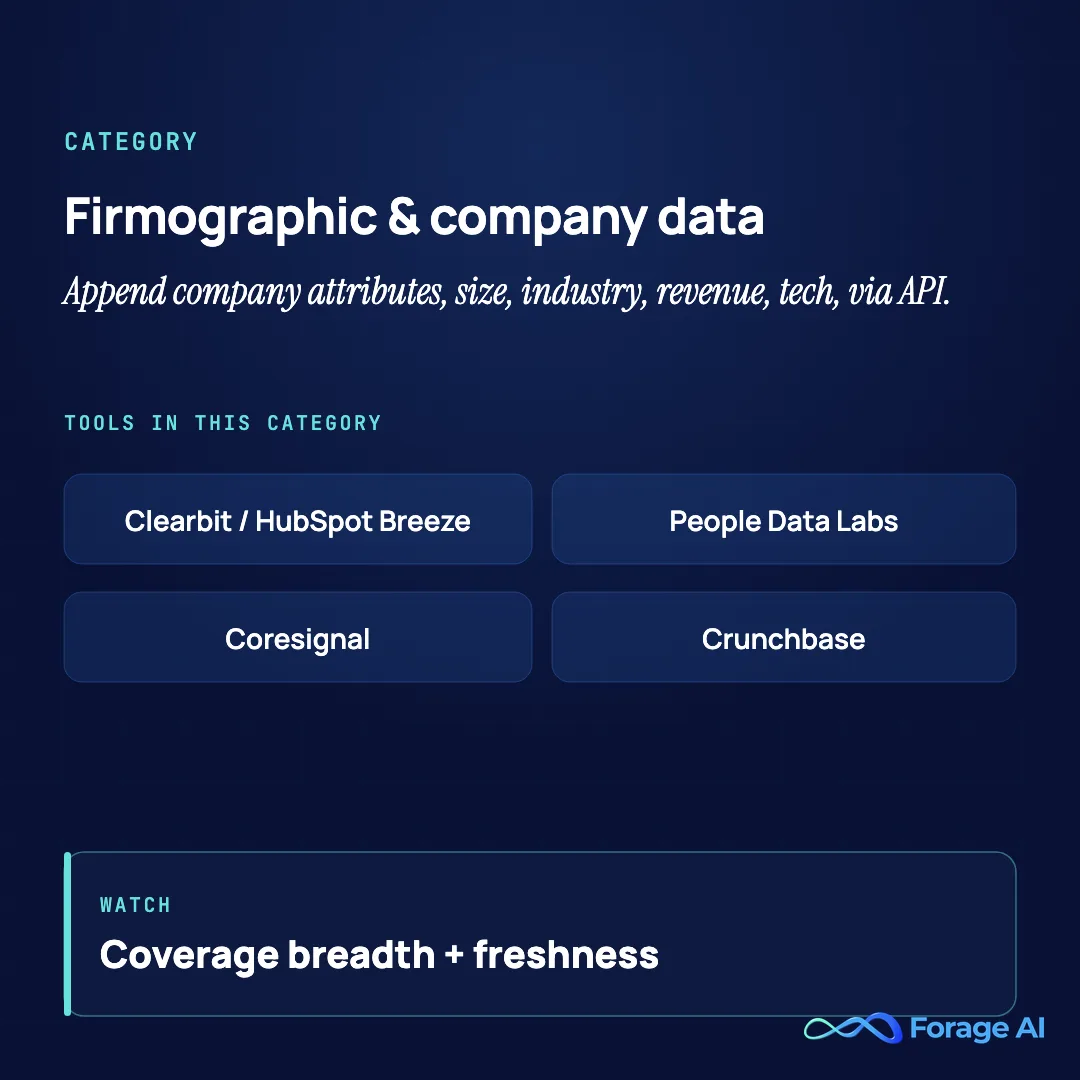
Four providers cover the realistic range. HG Insights sits at the enterprise end and reaches spend and installs a crawler cannot see. BuiltWith owns the widest catalogue of web-detectable technologies. Datanyze is built for displacement plays. Wappalyzer is the lightweight API and list layer. Most teams do not buy any of them, because the technographic data bundled into ZoomInfo or Clearbit/Breeze is enough; you buy a specialist when tech stack is the axis your whole segmentation runs on.
| Tool | Best for | Pricing model | Rating | Coverage / freshness / match rate | Watch-out |
|---|---|---|---|---|---|
| HG Insights | Enterprise technology install and IT spend intelligence | Enterprise annual contract | Listed on G2/Capterra; rating not independently verified | Tracks 20,000+ technology products and 100M+ verified installs, with IT spend modelled across 140 categories | Enterprise contracting; thinner outside enterprise tech buyers |
| BuiltWith | Widest catalogue of web-detectable technologies | Self-serve subscription, tiered | Listed on G2/Capterra; rating not independently verified | Covers 126,000+ internet technologies with historical adoption trails per domain | Detects only what is visible on a website, so on-premise and internal systems are invisible |
| Datanyze | Tech-stack-based targeting and displacement plays | Self-serve subscription | Listed on G2/Capterra; rating not independently verified | Technographics on ~35M companies with daily tech-stack-change alerts | Narrow: technographic data only |
| Wappalyzer | Lightweight technographic lookups and list building via API | Self-serve subscription | Listed on G2/Capterra; rating not independently verified | Technology lookup, technology and keyword lead lists, and change alerts; dataset size is not published | No published coverage figures, and front-end detection only |
HG Insights
| Field | Detail |
|---|---|
| Best for | Enterprise technology install and IT spend intelligence |
| Category / model | Technographic, enterprise |
| Pricing model | Enterprise annual contract |
| Rating | Listed on G2/Capterra; rating not independently verified |
| Coverage / freshness / match rate | Tracks 20,000+ technology products across hardware, software, communications and services, with 100M+ verified technology installs and IT spend modelled across 140 categories |
| Standout strength | Spend and install data that goes past what a website crawler can detect |
| Watch-out | Enterprise contracting, and coverage is deepest among enterprise technology buyers |
HG Insights is the pick when the tech stack is the segmentation: it models what an account has installed and what it spends, across 20,000 plus technology products and more than 100 million verified installs, which is a different exercise from detecting a tag on a homepage.
Who it is for: enterprise sales and marketing teams sizing a market by technology footprint or IT budget rather than by headcount and industry code.
Watch-out: this is an annual enterprise purchase, and the depth that justifies it sits with enterprise technology buyers, so validate coverage on your own account list before signing.
BuiltWith
| Field | Detail |
|---|---|
| Best for | Widest catalogue of web-detectable technologies |
| Category / model | Technographic, self-serve |
| Pricing model | Self-serve subscription, tiered |
| Rating | Listed on G2/Capterra; rating not independently verified |
| Coverage / freshness / match rate | Covers 126,000 plus internet technologies, including 2,500 plus ecommerce technologies across more than 26 million ecommerce sites, with historical adoption trails per domain |
| Standout strength | Technology history, so you can see when a site adopted or dropped a tool |
| Watch-out | Website-detectable technology only, and 2026 pricing moved up sharply |
BuiltWith is the breadth play: it tracks over 126,000 internet technologies and keeps a history per domain, so you can filter not just on what an account runs today but on what it switched away from and when.
Who it is for: teams building technology-filtered lists at volume, and ecommerce sellers in particular, where its 2,500 plus ecommerce technologies across 26 million plus storefronts is the deepest slice on offer.
Watch-out: everything here is detected from the public website, so on-premise systems, internal tooling and anything behind a login stay invisible, and the 2026 price ladder is materially higher than the one most reviews still quote.
Datanyze
| Field | Detail |
|---|---|
| Best for | Tech-stack-based targeting and displacement plays |
| Category / model | Technographic, self-serve |
| Pricing model | Self-serve subscription |
| Rating | Listed on G2/Capterra; rating not independently verified |
| Coverage / freshness / match rate | Technographics on ~35M companies with daily tech-stack-change alerts |
| Standout strength | Daily alerts when a target’s tech stack changes |
| Watch-out | Narrow: technographic data only |
Datanyze is the displacement-targeting pick: it tracks the tech stack of roughly 35 million companies and alerts you when a stack changes, exactly what you want when selling against a specific competing tool, which displacement-focused teams value (for most teams, the technographic data bundled into ZoomInfo or Clearbit/Breeze is enough).
Who it’s for: teams whose core motion is displacing a named competitor’s tech.
Watch-out: it does technographic and nothing else, and those signals decay fast and can be noisy, so verify before building a campaign.
Wappalyzer
| Field | Detail |
|---|---|
| Best for | Lightweight technographic lookups and list building via API |
| Category / model | Technographic, self-serve |
| Pricing model | Self-serve subscription |
| Rating | Listed on G2/Capterra; rating not independently verified |
| Coverage / freshness / match rate | Technology lookup on any URL, lead lists filtered by technology or keyword, and website change alerts; dataset size is not published |
| Standout strength | Cheapest route to a technographic signal inside your own workflow via API or extension |
| Watch-out | No published coverage figures, and front-end detection only |
Wappalyzer is the practitioner tier: it started as a browser extension and still behaves like one, giving you a technology lookup on any URL, lead lists filtered by technology or keyword, and alerts when a monitored site changes its stack.
Who it is for: RevOps and growth teams that want a technographic field in their own pipeline without an enterprise contract, usually through the API.
Watch-out: Wappalyzer does not publish coverage numbers, so there is no figure to test the claim against; run your own accounts through it and count how many resolve before you build a segment on it.
Quick Summary
Q: Who are the best B2B technographic data providers, and do you need one?
A: The four worth shortlisting are HG Insights for enterprise install and IT spend data, BuiltWith for the widest catalogue of web-detectable technologies, Datanyze for displacing a named competitor, and Wappalyzer for a cheap API-level signal. Most teams still need none of them, because the technographic data bundled into ZoomInfo and Clearbit/Breeze covers the common cases. Buy a dedicated B2B technographic data provider when tech stack is the axis your segmentation actually runs on.
Intent data tools
Now move to the top of the funnel and the behavioral layer: who is in-market right now. This category has its own buyer SERP, and the thing to internalize before you buy is that intent data is only as valuable as the activation layer you run it through. One adjacent name: Demandbase is best for enterprise ABM teams that want advertising and intent combined in one platform.
| Tool | Best for | Pricing model | Rating | Coverage / freshness / match rate | Watch-out |
|---|---|---|---|---|---|
| Bombora | Teams feeding intent into an existing stack affordably | Company Surge ~$25K to $60K/yr | 4.4 on G2 (~160) | Largest intent co-op; weekly surge cadence | Needs an activation layer |
| 6sense | Enterprise ABM wanting one orchestration platform | Custom; ~$60K to $250K+/yr | 4.3 on G2 (~870) | Predictive intent plus de-anon; signal precision debated | Cost; intent signal quality |
| Demandbase | Enterprise ABM combining advertising and intent | ~$30K to $100K+/yr | 4.3 on G2 (~1,600) | Account-level intent plus advertising | Cost and complexity |
Bombora
| Field | Detail |
|---|---|
| Best for | Teams feeding intent into an existing stack affordably |
| Category / model | Intent data, co-op platform |
| Pricing model | Company Surge ~$25K to $60K per year |
| Rating | 4.4 on G2 (~160 reviews), as of June 2026 |
| Coverage / freshness / match rate | Largest intent co-op; weekly surge cadence |
| Standout strength | The Company Surge standard across 5,000+ publishers |
| Watch-out | Not a standalone activation platform; signal latency |
Bombora is the affordable signal layer: its Company Surge data is the de facto intent standard, drawn from a co-op of thousands of publishers, and it powers the intent inside many platforms including ZoomInfo, which teams with activation already in place value as the missing in-market signal.
Who it’s for: teams with activation already in place that lack the in-market signal.
Watch-out: it is a signal, not a system, feeding other tools on a weekly surge cadence, so without a downstream system to act on it, intent data sits on a shelf.
6sense
| Field | Detail |
|---|---|
| Best for | Enterprise ABM wanting one orchestration platform |
| Category / model | Predictive intent + ABM platform |
| Pricing model | Custom; roughly $60K to $250K+ per year |
| Rating | 4.3 on G2 (~870 reviews), as of June 2026 |
| Coverage / freshness / match rate | Predictive intent plus de-anon; signal precision debated |
| Standout strength | Predictive scoring, intent, ads, and orchestration in one platform |
| Watch-out | Cost and debated intent signal quality |
6sense is the full enterprise ABM platform: predictive intent scoring, account identification, advertising, and orchestration in one system for teams that want to run the whole motion without stitching point tools together, which enterprise ABM teams value for predictive scoring and orchestration in one place, though reviewers sometimes call the intent signal vague or late.
Who it’s for: enterprise ABM teams wanting predictive scoring and orchestration in one place.
Watch-out: pricing runs from ~$60,000 into the low hundreds of thousands, so validate the intent signal against your own pipeline first.
A secondary note: G2 Intent and Intentsify also compete here; the Forrester Wave for intent named Intentsify, 6sense, Bombora, Informa TechTarget, and Demandbase among its leaders.
Identity resolution and visitor de-anonymization tools
Still at the top of the funnel, this category connects anonymous activity, especially website visits, to a known company or person. It has its own buyer SERP and is the category where vendors are loosest with their numbers, so the first thing to get straight is what the match rate actually counts. One adjacent name: Vector is best for US inbound teams that will act on the de-anon signal in-platform.
The company-versus-person truth box. Realistic company-level identification resolves 30 to 65 percent of your traffic; realistic person-level identification resolves only 5 to 20 percent. When a vendor quotes “80 percent,” it is almost always counting companies, not people, because a partial match rate is inherent to the method. This is the single most important thing to understand before you buy here. The mechanics come down to record linkage, which what actually drives match rates covers in depth.
| Tool | Best for | Pricing model | Rating | Coverage / freshness / match rate | Watch-out |
|---|---|---|---|---|---|
| RB2B | US SMB and mid-market wanting cheap person-level visitor ID | Free; $79 to $199/mo | 4.5 on G2 (~281) | Person-level, real-time; ~10 to 20% of US traffic | Coverage ceiling, US bias |
| Vector | US inbound teams that will act on the signal in-platform | Self-serve | Listed on G2; rating not independently verified | Person plus company; traffic-mix dependent | Coverage varies by traffic |
| Warmly / Factors / Leadfeeder | Company-level warm-inbound routing | Self-serve, tiered | Listed on G2; ratings not independently verified | Company-level 30 to 65% realistic | Match rates vary widely |
RB2B
| Field | Detail |
|---|---|
| Best for | US SMB and mid-market wanting cheap person-level visitor ID |
| Category / model | Person-level visitor de-anonymization, self-serve |
| Pricing model | Free tier; Starter $79 / Pro $149 / Pro+ $199 per month |
| Rating | 4.5 on G2 (~281 reviews), as of June 2026 |
| Coverage / freshness / match rate | Person-level, real-time; ~10 to 20% of US traffic |
| Standout strength | Person-level (not just company) ID, Slack-native, real-time |
| Watch-out | US-only and a real coverage ceiling |
RB2B created the person-level web de-anon category: it identifies the individual visitor, not just the company, pushes results into Slack in real time, and offers a free tier, which is why US PLG and inbound teams took to it for surfacing the person rather than the company.
Who it’s for: US PLG and inbound teams that want the person, not just the company.
Watch-out: person-level ID realistically resolves only 10 to 20 percent of traffic, US-only, with privacy obligations to manage, so do not expect blanket coverage (that is the method working as designed).
Warmly / Factors.ai / Leadfeeder
| Field | Detail |
|---|---|
| Best for | Company-level warm-inbound routing |
| Category / model | Company-level visitor ID plus workflows, self-serve |
| Pricing model | Self-serve, tiered |
| Rating | Listed on G2; ratings not independently verified |
| Coverage / freshness / match rate | Company-level 30 to 65% realistic |
| Standout strength | Company-level identification plus routing workflows |
| Watch-out | Match rates vary widely by traffic |
This trio is the company-level routing pick: Warmly, Factors.ai, and Leadfeeder identify visiting companies (with some person-level capability) and wrap routing and workflow around it, which teams value for routing warm accounts rather than identifying individuals.
Who it’s for: teams that want to route warm accounts rather than identify individuals.
Watch-out: company-level match rates run 30 to 65 percent realistically and swing with traffic, so judge them on your own numbers.
CRM data hygiene and enrichment tools
The append categories all assume the data underneath is clean, which is why this layer runs always-on beneath the rest of the stack. This is the one category that does not append anything: it fixes the data you already have through dedupe, normalization, standardization, and validation. The key thing to remember is that hygiene tools are not a data source, so they maintain accuracy but will never fill a coverage gap. One adjacent name: DemandTools is best for Salesforce-centric shops wanting native dedupe and standardization.
| Tool | Best for | Pricing model | Rating | Coverage / freshness / match rate | Watch-out |
|---|---|---|---|---|---|
| Insycle | RevOps teams cleaning HubSpot or Salesforce | Per-1,000-records tiers; free trial | 4.7 on G2 (~192) | Maintains accuracy of data you have; not an acquisition source | Hygiene, not coverage |
| Openprise | Larger RevOps orgs orchestrating a full RevTech stack | Enterprise/custom | 4.9 on G2 (~64) | Orchestrates dedupe, routing, and normalization at scale | Cost, implementation lift |
| DemandTools | Salesforce-centric shops | Subscription | 4.5 on G2 (~265) | Native Salesforce dedupe and standardization | Salesforce-centric |
Insycle
| Field | Detail |
|---|---|
| Best for | RevOps teams cleaning HubSpot or Salesforce |
| Category / model | CRM data hygiene, no-code self-serve |
| Pricing model | Per-1,000-records tiers; free trial |
| Rating | 4.7 on G2 (~192 reviews), as of June 2026 |
| Coverage / freshness / match rate | Maintains accuracy of data you have; not an acquisition source |
| Standout strength | No-code dedupe, standardization, and scheduled cleansing workflows |
| Watch-out | It is hygiene, not enrichment coverage |
Insycle is the SMB and mid-market hygiene pick: no-code dedupe, standardization, normalization, and scheduled workflows for HubSpot and Salesforce that a RevOps team can run without IT support, which reviewers value for fixing and maintaining the data they already hold.
Who it’s for: RevOps teams that need to fix and maintain the data they already hold.
Watch-out: it does not source net-new data and its cost scales with database size, so do not expect it to close a coverage gap, which is a different category entirely.
Openprise
| Field | Detail |
|---|---|
| Best for | Larger RevOps orgs orchestrating a full RevTech stack |
| Category / model | CRM/RevOps data automation and orchestration, platform |
| Pricing model | Enterprise/custom |
| Rating | 4.9 on G2 (~64 reviews), as of June 2026 |
| Coverage / freshness / match rate | Orchestrates dedupe, routing, and normalization at scale |
| Standout strength | No-code RevOps automation across multiple tools |
| Watch-out | Enterprise pricing and implementation lift |
Openprise is the orchestration pick: it automates dedupe, enrichment routing, and normalization across a whole RevTech stack with fuzzy matching at enterprise scale, for orgs coordinating several tools rather than cleaning one CRM, which larger RevOps teams value for orchestrating multiple tools at once.
Who it’s for: larger RevOps teams orchestrating multiple tools at once.
Watch-out: it is enterprise-priced and heavier to implement than a point tool, so it is overkill if you only need to dedupe one CRM.
A note on entity resolution: the hard part of hygiene is matching records that refer to the same company across spelling variants, the record-linkage problem covered in the record-linkage mechanics behind enrichment accuracy.
When is self-serve enrichment not enough?
Every category above assumes a self-serve tool can find the data you need. Most of the time it can, and you should buy the cheapest tool that clears your ICP on the CFM test. This section is for the cases where it cannot, which the vendor-list SERP tends to ignore.
This is category 7: data you commission rather than append or fix. A managed partner builds and runs the enrichment pipelines themselves, for data no off-the-shelf product sells. The broader managed web-data landscape includes Bright Data’s managed acquisition, ScrapeHero, and PromptCloud; for custom enrichment specifically, this is where Forage AI fits, and our ScrapeHero alternatives roundup weighs that same managed field.
Forage AI
| Field | Detail |
|---|---|
| Best for | Enterprises needing data no off-the-shelf tool sells |
| Category / model | Custom / managed enrichment partner (not a self-serve tool) |
| Pricing model | Custom, quote-based engagement |
| Rating | No public review base (managed service, not self-serve software) |
| Coverage / freshness / match rate | Built to spec: custom pipelines, self-updating, multi-layer QA |
| Standout strength | Data ownership, custom schemas, and compliance off-the-shelf tools cannot match |
| Watch-out | Overkill for standard enrichment under a few thousand records |
Forage AI is a managed enrichment partner, not a self-serve tool. It builds and runs end-to-end pipelines that extract data off-the-shelf tools do not sell: niche or industry-specific records, deeply nested fields, and custom schemas pulled from millions of web and document sources, with multi-layer human-plus-AI QA, full data ownership (your data is never resold), and contractual handling controls agreed up front, with on-prem options. The Entity Matching Agent canonicalizes variants like “ABC Corp” and “ABC Corporation” so records resolve cleanly across systems.
The exact situation that warrants a managed partner. Go managed when you can check most of these six boxes: (1) you need data no tool has a product for, a specific vertical directory, custom fields, or a proprietary universe (property records are a common example, and we cover that market in our review of real estate data platforms); (2) you need it at scale, millions of records or a high refresh cadence; (3) off-the-shelf coverage, freshness, or match rate fails for your ICP; (4) you have an active pain, a broken in-house pipeline or a scale wall already hit; (5) you have a real budget, generally six figures and up; and (6) you want to own the data and offload the operations.
The honest “not for you if” line. A managed partner is the wrong call for standard contact or firmographic enrichment under a few thousand records, or for a single SDR who wants credits today. If a self-serve tool above clears your ICP at 80 percent or better on the CFM test, do not go managed. The managed case is the niche, scale, and compliance ceiling, not the everyday buy. Our data-as-a-service and compliance in contact-data enrichment guides cover the adjacent decisions.
How do you choose a B2B data enrichment tool?
Here is the repeatable method to pick a tool, consolidating the spine of this article into a sequence you can run on your own stack this week.
Step one: pick the category by the job to be done. Do not start with brands. Start with the question you need answered (who is this person, what kind of company is this, who is in-market, who is on my site, how do I fix my CRM) and let that select the category. Category-first stops you comparing a wrench to a paintbrush.
Step two: pick the architecture. Real-time for inbound capture, waterfall for the hard-to-find records, batch for periodic back-fill. Most stacks use more than one, and the architecture decides your cost and speed profile independent of the data category.
Step three: run the CFM test on your own CRM. Pull 50 to 100 records you already know are real, run them through the candidate’s trial, and measure coverage, freshness, and match rate. This separates a real decision from a vendor-deck decision.
Step four: check the 80 percent gate. If the match rate comes back under roughly 80 percent on contacts you already know, you have found a coverage gap in your ICP. Pick a different tool, add a waterfall layer, or, if the gap is structural, consider the managed route.
Step five: decide self-serve versus managed. Run the six-part gate from the section above. If a self-serve tool clears your ICP, buy it; go managed only at the niche, scale, or compliance ceiling. It helps to know the signs your B2B data has gone stale so you are solving the right problem.
The whole framework reduces to four moves: category, then architecture, then the CFM test, then the self-serve-versus-managed gate. Do not pick by headline database size or trust a vendor’s claimed accuracy. Pick by the job, then prove it on your own data.
FAQ
What is a match rate in data enrichment? It is the count of records returned with a usable field (email or phone) divided by the count you submitted. Single-source tools land 35 to 52 percent on real lists; waterfall approaches reach 85 to 93 percent. The number a vendor advertises was generated on their list, so the only match rate that predicts your result is the one you measure on your own data.
What is the difference between waterfall and real-time enrichment? Waterfall queries providers one at a time and only pays the premium sources on a miss, giving the highest coverage at the lowest cost per match but needing RevOps engineering. Real-time fires the moment a record is created, usually via an API hitting several sources at once, landing fresh data instantly for inbound routing. They are not exclusive: a mature stack uses real-time for capture and waterfall for the hard records.
How fast does B2B data decay? Roughly 2.1 percent per month, around 22.5 percent per year on average, with email up to 30 percent per year and faster in high-churn sectors like tech. That is why freshness, measured as a verification date and a refresh cadence, is a decision axis and not an afterthought.
Which is the best B2B data enrichment tool for CRM? For cleaning a CRM, Insycle suits HubSpot and Salesforce, Openprise scales to enterprise orchestration, and DemandTools owns native Salesforce. For appending net-new data, the right tool depends on the category: Apollo or ZoomInfo for contacts, or Clearbit/Breeze if you live in HubSpot. Hygiene and enrichment are different jobs, so most teams run one of each.
Who are the best B2B technographic data providers? Four cover the realistic range. HG Insights models enterprise installs and IT spend across 20,000 plus technology products. BuiltWith tracks 126,000 plus web-detectable technologies with history per domain. Datanyze is built for displacement, alerting you when a target changes its stack. Wappalyzer is the lightweight API layer for teams that just want a technographic field in their pipeline. If tech stack is not the axis your segmentation runs on, the technographic data bundled into ZoomInfo or Clearbit/Breeze is usually enough.
What are good Clay alternatives for data enrichment? Clay is a waterfall orchestration builder, so the closest alternatives are other multi-source sequencers, not single databases. If you want waterfall coverage without building the pipeline yourself, the alternative is a different model entirely: a managed partner that runs the multi-source enrichment for you.
Is Apollo’s data accurate? Coverage is broad and the price is low, but accuracy is the weakest axis: reviewers commonly report 20 to 30 percent bounce, and 1,000-lead tests put real email accuracy nearer 80 percent than the headline. It is a strong volume layer if you verify before sending, so run a 50 to 100 contact test from your own CRM first.
Conclusion
An enrichment stack is not something you buy once. It is something you maintain, because the data underneath it decays every month whether you watch it or not. The tool you pick matters far less than the discipline of choosing the right category, testing on your own data, and refreshing what goes stale.
So this week, before you renew or sign anything new, run the test. Pull 50 to 100 contacts you already know are real, send them through whatever you are using or evaluating, and measure coverage, freshness, and match rate. If it clears 80 percent on data you already know, you have your answer. If it does not, you have found the gap, and now you know which category, architecture, or model will close it.
Related Articles
- The Complete Guide to Selecting Your B2B Data Provider: How to choose the data provider behind your enrichment stack.
- 5 Signs Your B2B Database Provider Is Limiting Your Growth: The stale-data triggers that send teams looking for enrichment.
- Firmographic Data Sourcing: Why Real-Time Extraction Beats Static Databases: The freshness argument behind the freshness axis.
- AI-Powered Entity Matching: How AI Agents Improve Data Accuracy: The record-linkage machinery that drives match rates.
- Best Firmographic Data Providers 2026: Complete Comparison Guide: The underlying firmographic feeds these tools draw on.
Sai is a data infrastructure enthusiast who has spent the past two to three years following the AI space closely, from the infrastructure layer to the fast-growing world of data for AI. He is genuinely curious about how modern data pipelines get built and where the data industry is heading, and he writes insightful pieces on the core topics that shape this niche.