
Web Scraping Definition: What is Web craping & How Data Gets Extracted
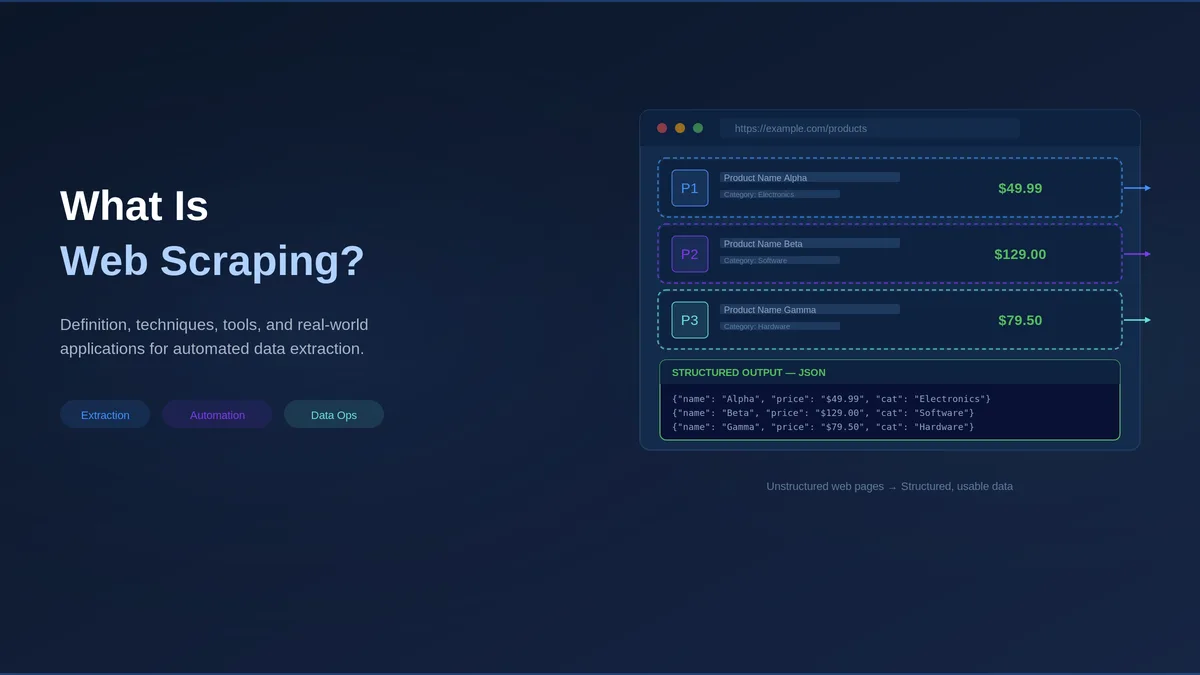
You have probably copied text from a website and pasted it into a spreadsheet. Maybe a product name, a price, or a phone number. Now imagine you need to do that for 10,000 products across 50 different websites, and you need it updated every day.
This is the problem that webscraping solves.
Quick Digest
- Definition: Web scraping is software that visits web pages, reads their underlying code and pulls specific fields into a structured format.
- Five stages: Request, parse, extract, structure and store, then validate and deliver before the data reaches a consumer.
- Four methods: Selector rules, headless browsers, hidden APIs and LLM-powered extraction, usually combined rather than chosen.
- Legal position: In the United States, scraping public data is generally permissible under hiQ v. LinkedIn, while personal data carries separate obligations.
- Why it breaks: Websites change, so schema drift, anti-bot escalation and quiet quality loss dominate the cost at scale.
What Is Web Scraping?
Web scraping is software that automatically collects data from websites. Instead of a person manually visiting pages and copying information, a program does it faster, more accurately, and at a scale no human could match. Websites are built for people to read, but web scraping lets software do the same thing and pull out the specific pieces of information you care about, such as prices, names, reviews, or job listings.
One important clarification: web scraping is not related to hacking, unauthorized access, or data theft.
Web scraping has grown from a niche developer tool into a core part of how companies collect data. The global web scraping services market is projected to reach $3.8 billion by 2033, and businesses across retail, finance, healthcare, and tech rely on it daily. To fully understand how it works, it helps to know one related term: web crawling.
Crawling is like browsing the shelves of a library to find the right books, while scraping is like reading those books and writing down the key facts. Most systems use both together.
Web Scraping vs. Web Crawling
Crawling is the discovery step, where software follows links and figures out which pages contain the data you want. Scraping is the extraction step in which software reads a page and extracts specific data points, such as prices, names, or dates. In production systems, they work together as part of the same process. For a fuller breakdown of the difference between web scraping and web crawling, see our dedicated guide.
You might wonder why not just use an API. An API is an official, structured data feed that some websites provide directly to developers. The problem is that most data on the web is not available this way. According to the Postman 2023 State of the API Report, only about 27% of developers say the APIs they need are always accessible. Web scraping fills that gap.
Expert Insight: Five years ago, scraping was mostly a developer-side project. Today, 65% of enterprises use web scraping to feed AI and machine learning projects. It now appears on data strategy roadmaps with dedicated budgets and teams.
“What exactly is web scraping?”
Software that visits websites, reads their underlying code, and pulls out specific information into a format you can use (like a spreadsheet or database). Think of it as turning messy web pages into clean, organized data.
How Does Web Scraping Work, Stage by Stage?
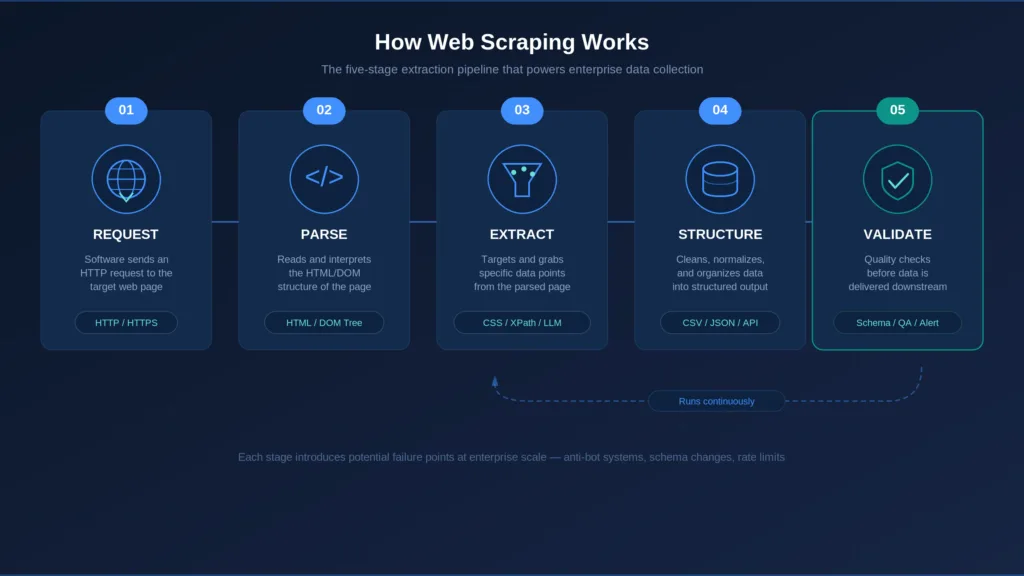
Every web scraper, whether a simple script or a system processing millions of pages, follows five stages.
Stage 1: Request. The software requests a page from a web server, just as your browser does when you type a URL.
Stage 2: Parse. The software reads through the page content to understand its structure. Web pages are written in HTML (the code that defines headings, paragraphs, links, and images). Parsing means organizing that code so the software can navigate it, much like creating a table of contents for a book.
Stage 3: Extract. The software grabs the specific data points you want. It follows rules that say “get the price from this spot” or “pull the product name from that heading.” These rules can be simple pattern-matching instructions or AI-based methods that read the page more like a human would.
Stage 4: Structure and Store. Raw data gets cleaned up and organized into a usable format, such as a spreadsheet (CSV), a database table, or a structured data file (JSON).
Stage 5: Validate and Deliver. Production systems run quality checks before data leaves the system. Is it complete? Are the values reasonable? This stage feeds the data into your pipeline, whether that is a data warehouse, an analytics platform, or another system.
This five-stage model reveals something important: extraction is only one of the five stages. Organizations that focus only on “getting the data” without investing in validation end up with data nobody trusts.
In practice, stages 3 through 5 run continuously. Websites change, extraction rules need updating, and quality needs re-checking.
There is one more technical layer worth understanding. Over 98% of websites use JavaScript to dynamically load content, which means a scraper making a simple request might get back an empty shell because the actual data only appears after JavaScript runs. This is why many scrapers use headless browsers, tools like Playwright or Puppeteer that run a real browser behind the scenes to load the full page before extracting data.
Expert Insights
The HTTP Archive Web Almanac reported in its 2024 edition that the median JavaScript payload rose by 14 percent, reaching 558 kilobytes on mobile and 613 kilobytes on desktop, with a median of 22 script requests per mobile page. Pages that ship that much code rarely hand their content to a plain HTTP request, which is why the headless browser step described here is now routine rather than exotic.
At enterprise scale, coordinating all five stages (scheduling, monitoring, failure handling, alerting) often takes more engineering effort than writing the extraction logic itself.
Expert Insight: The Scrapy framework team has documented that coordination around the request-parse-extract cycle, not the cycle itself, consumes most of the engineering time in production.
“How does web scraping actually work?”
A scraper requests a page, reads its structure, extracts the data you need, organizes it into a clean format, and validates results before delivery. The core loop is simple. The complexity comes from JavaScript-heavy websites, anti-bot protections, and the infrastructure needed to run reliably at scale.
Quick Summary
Q: What happens between a scraper request and usable data?
A: Five stages run in order: request the page, parse its structure, extract the fields you need, structure and store the result, then validate and deliver it. Extraction is one stage of five, and at scale the scheduling, monitoring and failure handling around the loop take more engineering than the extraction logic itself.
Four Methods for Extracting Data From Web Pages
Not every website can be scraped the same way, and the range of data extraction tools reflects that. Four approaches have emerged.
1. Selector-based extraction. The most traditional method. You write rules that tell the scraper exactly where data lives on a page using CSS selectors (which match elements by their class or ID) or XPath (a language for navigating HTML structure). Fast, precise, and great for stable websites. The Scrapy framework (53,000+ GitHub stars) represents this at its most mature. The downside: when a website redesigns, every rule can break overnight.
2. Headless browser automation. Tools like Playwright and Puppeteer run a full browser in the background to load JavaScript-heavy pages completely before scraping. More resource-intensive, but for modern dynamic websites, there is no alternative.
3. API-based extraction. Some websites have hidden APIs that return structured data directly. When available, this is often the most reliable method. But only 27% of developers say the APIs they need are always accessible, and APIs can be shut down without warning.
4. LLM-powered extraction. The newest approach (2024–2025) uses tools like Crawl4AI, ScrapeGraphAI, and Firecrawl. Large language models (the same type of AI behind ChatGPT) interpret page content without traditional rules. They adapt when websites change their layout, reducing maintenance by roughly 70% based on early reports. Tradeoffs: higher per-page cost, reduced accuracy for precise numerical data, and some inconsistency across runs.
| Method | Best For | Key Limitation | Maintenance | Cost |
| Selector-based (CSS/XPath) | Stable, well-structured websites | Breaks on redesigns | High | Low per page |
| Headless browser | JavaScript-heavy websites | Resource-intensive | Medium | Medium per page |
| API-based | Websites with reliable endpoints | Most APIs unavailable | Low (when stable) | Varies |
| LLM-powered | Frequently changing content | Less precise on numbers | Low | High per page |
Most production systems combine methods: selectors for stable websites, LLMs for changing content, headless browsers for JavaScript-heavy websites, APIs wherever reliable.
Expert Insight: Experienced practitioners consistently find that combining methods (selectors for precision, LLMs for flexibility) outperforms any single approach.
“Which web scraping method should I use?”
It depends on the websites you are targeting. Stable websites work well with selectors. JavaScript-heavy websites need headless browsers. Frequently changing content benefits from LLM-powered methods. Most teams combine approaches.
Enterprise Use Cases That Justify a Scraping Program
Organizations use web scraping because they need data that is not available in any purchasable dataset or API. Here are the four most common ways enterprises put it to work.
1. Competitive intelligence. Tracking competitor pricing, product catalogs, job postings, and market positioning across thousands of websites, continuously. Not a one-time project; an ongoing operational feed.
2. Building data products. Some companies build their entire product around scraped data: commercial databases, business directories, and intelligence platforms. The extracted data IS the product, so quality directly determines revenue.
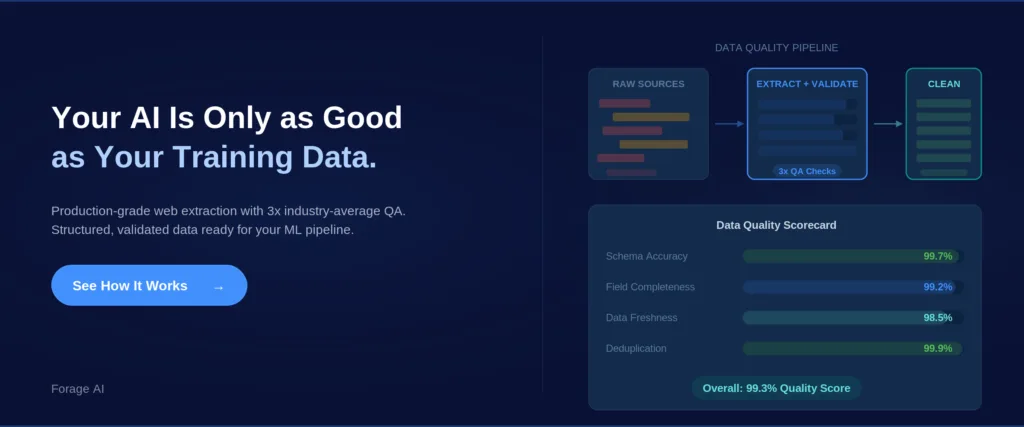
3. AI and machine learning training data. The fastest-growing use case. 65% of enterprises used web scraping to feed AI and ML projects in 2024. Quality matters even more here because errors in training data compound throughout the entire AI system.
4. Market and alternative data. Financial services firms use scraped web data as signals for investment research, risk assessment, and market analysis.
When should you NOT use web scraping? When the data is available through a reliable API or licensed dataset. When legal risk outweighs data value. When the maintenance cost exceeds the data’s value.
Expert Insight: MIT’s Data Provenance Initiative found that systematic data quality improvements led to 2–10x gains in downstream model performance. Organizations building quality extraction pipelines now are investing in AI capabilities they will need soon.
“What is web scraping actually used for in enterprises?”
Competitive intelligence, building commercial data products, feeding AI and ML systems, and generating market data for financial services. These require continuous, high-volume extraction with strict quality standards.
Is Web Scraping Legal? A Practical Framework
“Is this legal?” is one of the first questions people ask, and it is a fair one. The legal landscape is clearer than most expect, though organizations should always consult legal counsel for their specific situation.
The key U.S. precedent is hiQ Labs v. LinkedIn (9th Circuit, 2022). The court ruled that scraping publicly available data does not violate the Computer Fraud and Abuse Act (CFAA). The Supreme Court declined to hear LinkedIn’s appeal in 2023. The Electronic Frontier Foundation (EFF) supported this position, arguing that restricting access to public web data would harm research, journalism, and competition.
The key distinction to understand is the difference between public business data and personally identifiable information (PII). Public data like company info, product listings, and professional profiles sits on different legal ground than personal data. Under GDPR (the EU’s data protection law) and CCPA (California’s privacy law), PII is subject to strict requirements regardless of public visibility. Consult legal counsel to assess these factors for your use case.
Other boundaries: copyrighted content, data behind Terms of Service restrictions, and information requiring a login all carry their own considerations.
Common misconceptions: “Following robots.txt makes scraping legal” is not accurate (robots.txt has no legal force in most jurisdictions). And “all web scraping is illegal” is equally wrong.
Expert Insights
RFC 9309, the IETF specification that standardised the Robots Exclusion Protocol in September 2022, says of the rules in a robots.txt file that “these rules are not a form of access authorization.” That is the technical basis for the misconception above: the file records a site owner's preference to automated clients, and it is neither a licence to collect nor, by itself, a legal shield.
Enterprise Scraping Compliance Checklist:
- Is the data publicly accessible? (No login, paywall, or access control bypassed?)
- Does the data contain PII? (If yes, GDPR/CCPA requirements apply)
- What jurisdiction applies?
- Are you bypassing any technical access controls?
- What will the data be used for?
Expert Insight: The hiQ ruling moved the U.S. legal position from ambiguous to broadly permissive for public data. The remaining complexity sits at the intersection of public availability and personal data protection under GDPR and the emerging EU AI Act.
“Is web scraping legal?”
In the US, scraping publicly available data is generally permissible under the hiQ v. LinkedIn precedent. Scraping personal data triggers GDPR/CCPA obligations. Legality depends on what is collected, how it is used, and whether access controls are bypassed. Consult legal counsel before scaling.
Why Do Web Scrapers Break at Scale?
Everything above describes web scraping when it works. What follows covers what happens in production.
The core problem is that websites change. They redesign pages, update code, restructure content, and deploy anti-bot measures. Every change can silently break your scraper.
At a small scale, this is manageable. At enterprise scale across hundreds or thousands of sources, it becomes a constant stream of maintenance.
Schema drift is the most common failure. When a website changes its layout, extraction rules stop matching. Instead of errors, you get empty fields, wrong data, or missing records. These silent failures are the most dangerous.
Anti-bot systems add a second challenge. Bot traffic accounts for over 40% of all internet traffic, and websites respond with behavioral analysis, browser fingerprinting, and ML-based detection that improve every quarter.
Data quality degrades invisibly at scale. A 1% error rate across 10 million records means 100,000 wrong data points. For data products, those errors reach customers. For AI training data, they compound through model training.
Costs compound. The initial build is visible. The hidden costs accumulate through monitoring, proxy management, anti-bot engineering, quality validation, and engineers maintaining scrapers instead of building a product. Organizations that build in-house typically underestimate ongoing costs by 3–5x. A common practitioner rule: building the scraper is 20% of the work, maintaining it is 80%.
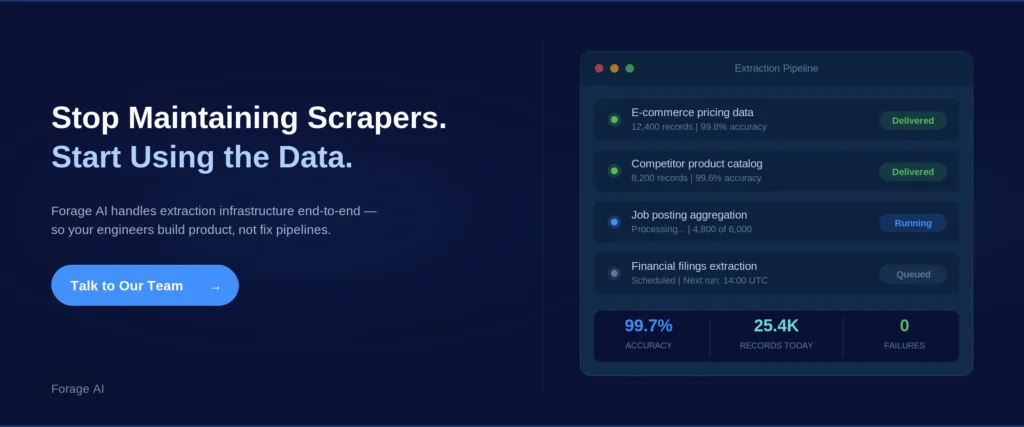
This is why mature operations invest heavily in quality assurance. At Forage AI, the QA team is three times the industry average in size relative to the delivery team, a ratio reflecting hard-won experience with the demands of production data quality.
Expert Insight: The coordination layer (scheduling, monitoring, alerting, retry logic) frequently requires more engineering investment than the extraction logic. Organizations that plan for extraction complexity but not operational complexity end up with scrapers that work but pipelines that fail.
“Why do web scrapers keep breaking?”
Because the websites they target change. Layout updates, code changes, and evolving anti-bot systems create constant maintenance. At scale, this is the dominant cost.
Build, Buy, or Partner: Choosing Your Approach
Once you understand what breaks at scale, the natural next question is who should own the pipeline and how much of it to build yourself.
Build in-house (DIY). Your team writes scrapers, manages infrastructure, handles QA, and maintains everything. Best for: small-scale extraction from stable sources, or organizations where scraping IS the core product. Risk: compounding maintenance hits hardest here.
Use commercial scraping platforms. Self-serve tools providing infrastructure (proxies, APIs, pre-built connectors). Many start with a point-and-click no-code scraper, then weigh Octoparse alternatives as their volume and source complexity grow. You still build and manage pipelines. Best for: moderate scale with a technical team available. Gap: You still own reliability, QA, and maintenance.
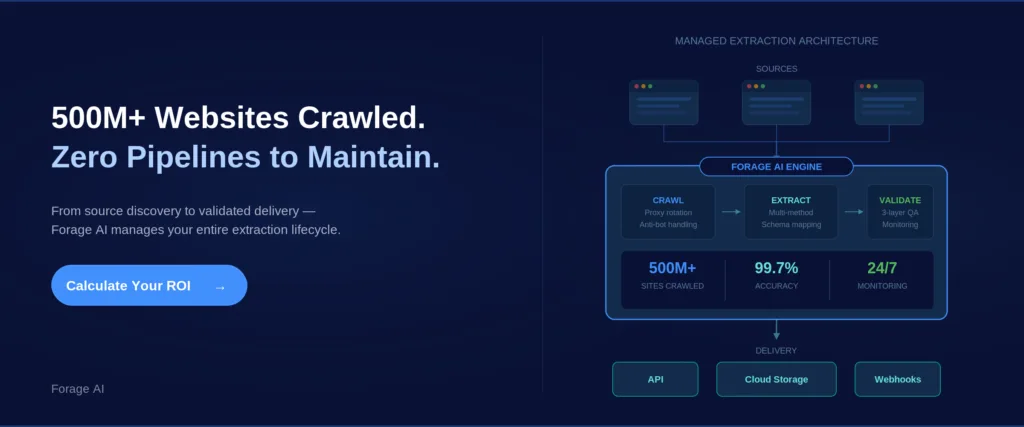
Partner with a managed data automation service. A partner handles pipeline design, extraction, QA, maintenance, and delivery. You consume the data. Best for: high-scale, complex sources, business-critical data quality, and teams focused on the core product.
The market confirms the trend: the web scraping services market (roughly 15.1% CAGR) is growing faster than the tools market (roughly 14.2% CAGR).
| Criteria | Build In-House | Commercial Tools | Managed Partner |
| Data Volume | Low to Medium | Medium to High | High |
| Source Complexity | Low | Medium | High |
| QA Ownership | You | You | Partner |
| Maintenance | You (100%) | Shared | Partner |
| Time to Value | Months | Weeks | Weeks (after scoping) |
The inflection point: organizations shift to managed services when engineers spend more time maintaining scrapers than building product features.
For organizations evaluating managed extraction at large scale,Forage AI’s web data extraction services are built for this intersection: high volume, custom requirements, and production-grade quality assurance.
Expert Insight: The 3–5x cost underestimation is not a planning failure. It is a structural feature of extraction projects. The initial build is straightforward; the ongoing maintenance is not.
“Should we build web scraping in-house or buy a solution?”
It depends on scale, source complexity, team capacity, and the level of criticality of data quality. Small-scale stable extraction works in-house. High-scale quality-critical extraction favors managed services. The inflection point arrives when your team spends more time fixing scrapers than building product.
Frequently Asked Questions
What is web scraping in simple terms?
Software that automatically collects data from websites. A program visits pages, reads the code, and extracts the data you need into an organized format, such as a spreadsheet or database.
Is web scraping legal?
In the US, scraping publicly available data is generally permissible under the hiQ v. LinkedIn ruling (2022). Scraping personal data triggers GDPR/CCPA obligations. Consult legal counsel before scaling.
What is the difference between web scraping and using an API?
APIs are official data channels from website operators. Scraping extracts data from the page itself. APIs are more reliable, but only 27% of developers say the APIs they need are always available. Most teams use both.
How much does web scraping cost at enterprise scale?
It varies by approach. In-house builds compound costs through maintenance, monitoring, and engineering time (often 3–5x the expected cost). Commercial tools charge per page. Managed services charge based on volume and complexity.
Can web scraping be used for AI training data?
Yes, and it is the fastest-growing use case. Quality matters even more here because errors compound through model training. Data provenance is also becoming a compliance requirement under regulations like the EU AI Act.
Why do web scrapers keep breaking?
Because websites change their layout, code, and anti-bot systems. At scale, this creates constant maintenance. Failures are often silent (wrong data rather than error messages), making them hard to catch.
Looking Forward
At its core, web scraping is simply a software that collects data from websites, but the gap between that concept and a production system delivering reliable data at scale is where the real decisions live.
AI systems need fresh, structured web data at a quality and volume that did not exist three years ago. LLM-powered extraction is changing how data gets collected. Regulatory frameworks define how it must be governed.
The question is not “what is web scraping?” You already know, it is the automated version of that copy-paste task you once did by hand, now running at a scale and speed no human could match. The real question is whether your organization will treat it as a side project or as a strategic data infrastructure with the investment and rigor it requires. That decision, more than any tool or method, determines the outcome.
Related Articles:
- Web Data Extraction, Techniques, Tools, and Applications
- Manual vs Automated Web Data Extraction, Pros & Cons
- Legal & Ethical Web Scraping, Compliance Guide
- Top 5 Use Cases for AI-Powered Web Data Extraction
- Why Most Enterprise Data Pipelines Break and How to Fix It
S
Written by
Sai Subramaniam
Data Infrastructure Enthusiast, Forage AI
Sai is a data infrastructure enthusiast who has spent the past two to three years following the AI space closely, from the infrastructure layer to the fast-growing world of data for AI. He is genuinely curious about how modern data pipelines get built and where the data industry is heading, and he writes insightful pieces on the core topics that shape this niche.
Reviewed by the team of experts at Forage AI for accuracy and clarity.